Changes - (Aug, 2009)
Results are displayed in multiple pages to improve the user experience.
Results are displayed in multiple pages to improve the user experience.
Pagination has been added to improve the user experience.
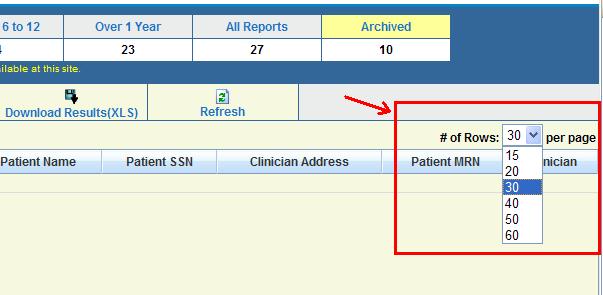
Set the number of the rows to display:
You should be able to select the number of rows from the dropdown that you wish
the system to display. The selected value will be saved until it is changed again.
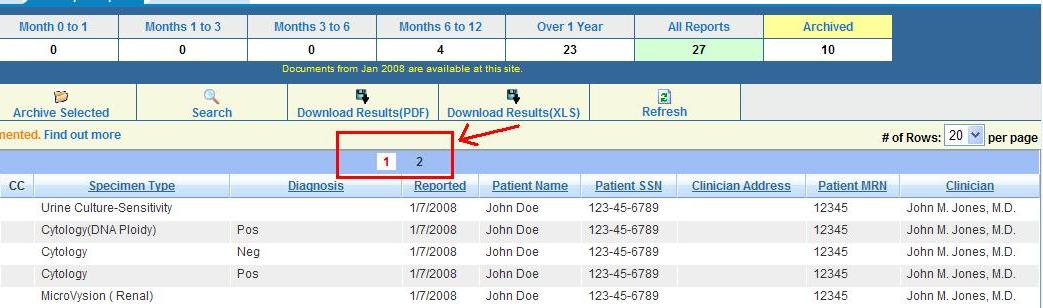
Numbering of additional result pages:
If the page numbers on the results rows is larger than the number of rows per page
displayed, the system will provide page numbers to select from.
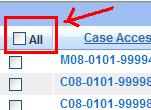
Select all reports:
If "All" checkbox is checked, it will only select the cases displayed on the page.
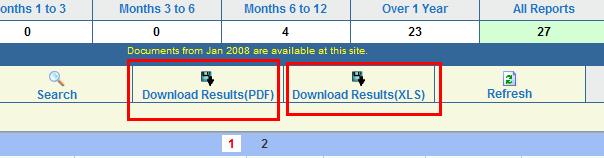
Download commands:
The download commands work as they did before. They create the report, including all cases, regardless of pages.
Refresh command
Once the page is loaded, it will not refresh the data unless you navigate to another
page and come back. You should be able to check the latest data by clicking "Refresh"
command.
